vCX Now Supports WhatsApp Voice Calls — Incoming, Outgoing, Recorded, and Transcribed
The Voice Channel Your CRM Was Missing
WhatsApp started as a messaging app. Today, it is the world's most intimate business communication channel — and voice is the fastest-growing layer of it. Customers do not want to type long complaints. They want to explain their problem in their own voice. Sales teams do not want to lose deals because a voice note got buried in a text thread. They need a system that treats voice with the same structure as tickets, emails, and chat.
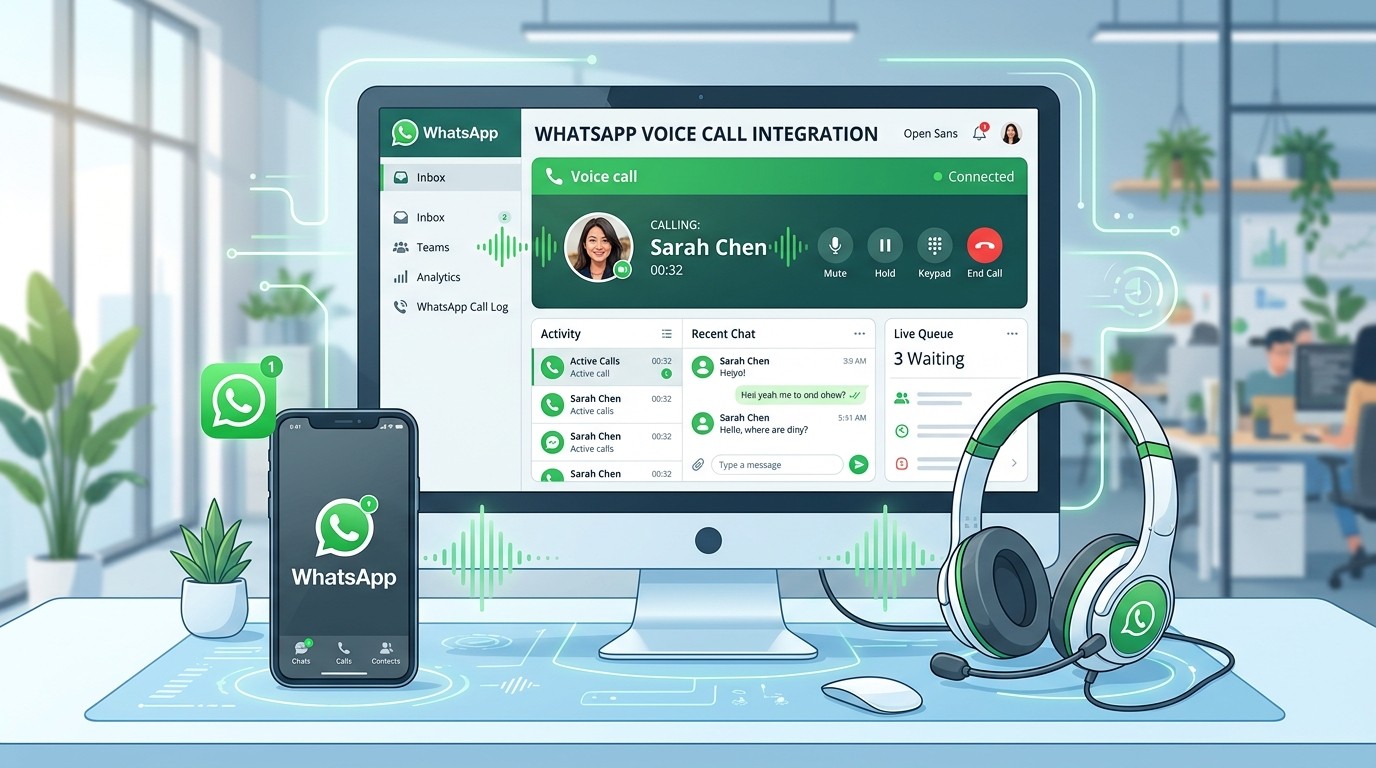
That is exactly what vCX now delivers. WhatsApp Calling is live — incoming and outgoing voice calls, fully integrated into your social CRM, with recording, transcription, and a complete voice dashboard.
Head to https://versalence.online to see it in action.
What Just Launched
📞 Incoming WhatsApp Calls — Routed to Your Team
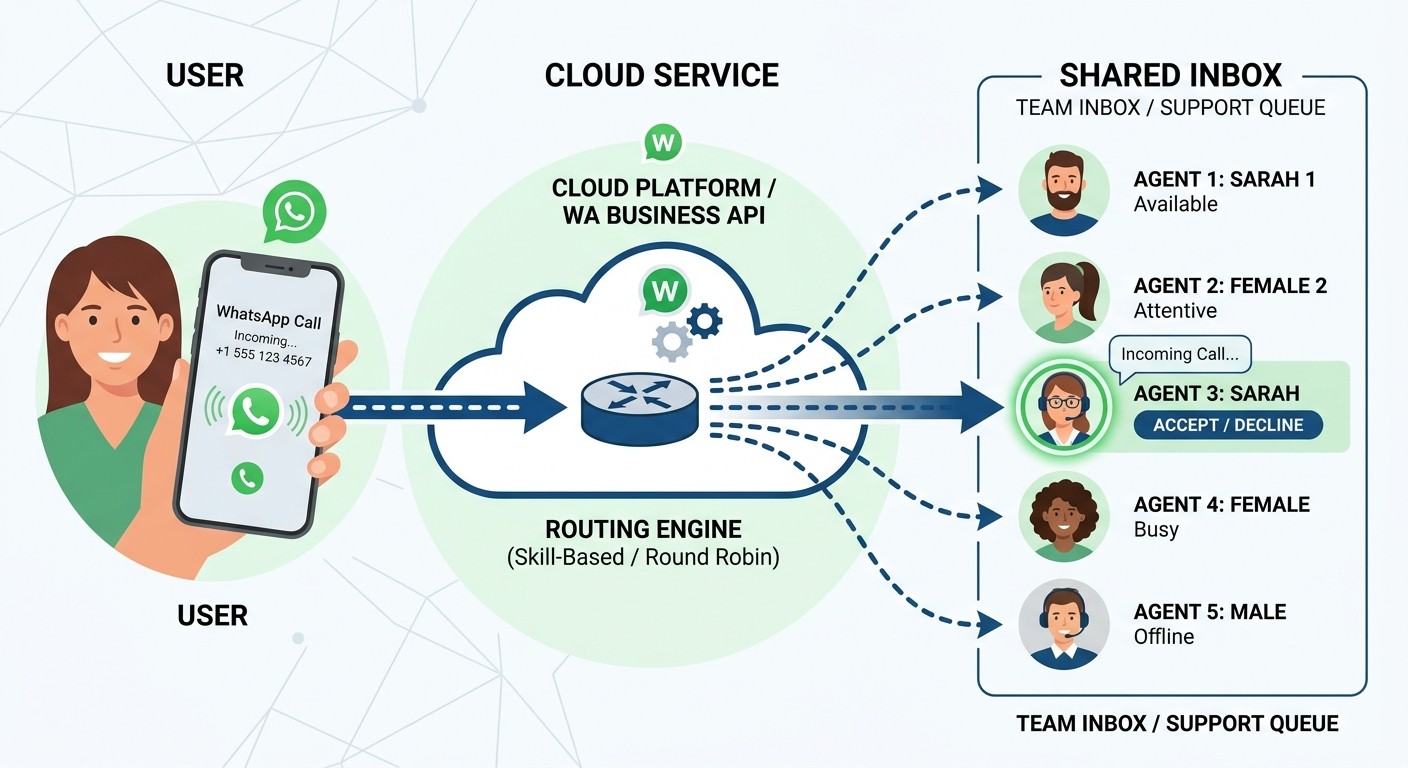
When a customer calls your WhatsApp Business number, the call does not disappear into one person's phone. It lands in the vCX shared inbox where any available team member can pick it up. Managers see who is on a call, how long it has lasted, and which customer is on the line — all in real time.
Why this matters: Before vCX, a WhatsApp voice call was a black box. It rang one phone. If that person was busy, the customer got silence or a missed call. Now it is a distributed queue like any other support channel.
📤 Outgoing WhatsApp Calls — From the Dashboard
Your agents can initiate WhatsApp voice calls directly from the vCX interface. No personal phone required. No number swapping. The call goes out through your official WhatsApp Business API connection, with your business identity attached.
Why this matters: Outbound sales and support follow-ups used to require agents to use their personal WhatsApp. That broke compliance, blurred brand identity, and made coaching impossible. Now every outbound call is logged, recorded, and attributed.
🎙️ Call Recording — Every Conversation Stored
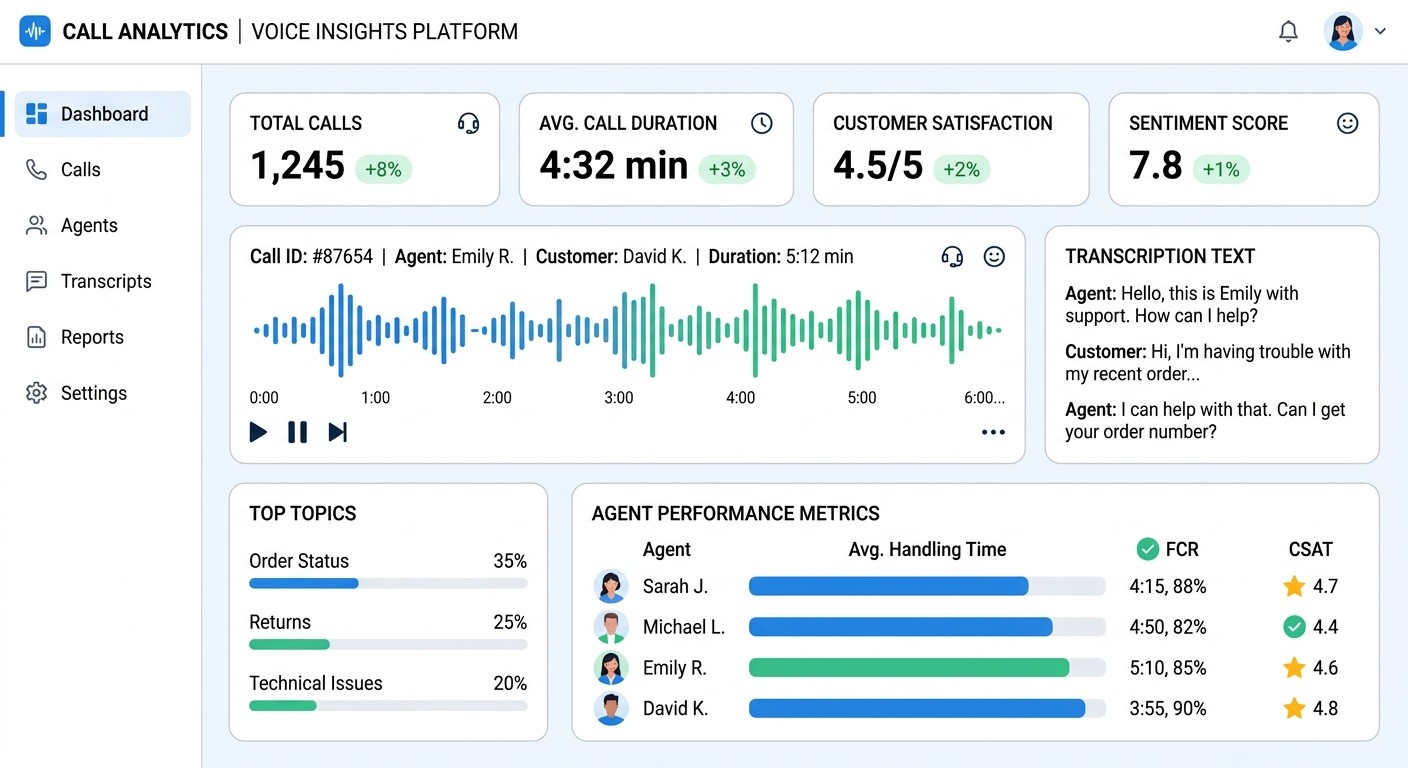
Every incoming and outgoing WhatsApp call is automatically recorded and attached to the customer record. Managers can review calls for quality assurance. Disputes can be resolved with evidence. Training becomes concrete — listen to the best calls, study the hard ones.
Why this matters: Voice conversations contain more nuance than text. Tone, hesitation, enthusiasm — these are signals that text misses. Recording preserves that intelligence for your team to learn from.
📝 AI Transcription — Searchable Voice
Recorded calls are transcribed into searchable text. Type a keyword and find every call where a customer mentioned 'refund,' 'delivery delay,' or 'upgrade.' The transcription lives alongside the audio, so you can read the summary and click to hear the exact moment.
Why this matters: A 10-minute support call used to be 10 minutes of unstructured audio. Now it is a document. You can spot patterns across hundreds of calls without listening to a single one.
The Voice Dashboard — Complete Control
The new vCX Voice Dashboard gives managers a single screen for every voice interaction:
- Live calls in progress — who is talking, for how long, queue status
- Missed calls — instant callback tasks created automatically
- Call history — filter by agent, customer, date, duration, outcome
- Transcription search — find any keyword across all recorded calls
- Performance metrics — average handle time, answer rate, customer satisfaction
This is not a phone system bolted onto a CRM. This is voice natively woven into the same thread where your WhatsApp chats, Instagram DMs, Facebook messages, emails, and tickets already live.
Why Voice in WhatsApp Is a Strategic Move
Here is the shift most businesses have not caught yet:
- Voice is easier for customers. Typing a complex problem on a phone is annoying. Speaking it is natural.
- Voice builds faster trust. A human voice conveys empathy and urgency in ways text cannot.
- Voice converts better for sales. High-consideration purchases often need a conversation.
- Voice creates training data. Every recorded and transcribed call is a lesson.
How It Works Under the Hood
vCX connects to the WhatsApp Business API through Meta's official infrastructure. This is not a hack or workaround. Calls ride the same verified, encrypted pipe as your WhatsApp Business messages.
Setup is simple:
- Connect your WhatsApp Business API number to vCX (already done for existing customers)
- Enable voice calling in your vCX channel settings
- Assign call-handling permissions to team members
- Start receiving and making calls — no extra hardware, no third-party phone system
Real Use Cases
E-commerce support: A customer receives a damaged product. Instead of typing a long complaint, they call your WhatsApp number. An agent picks up in vCX, sees the order history instantly, records the call, and processes the replacement — all in one thread.
Real estate sales: A potential buyer sees a listing and wants details now. They call the WhatsApp number on the brochure. The agent initiates the call from vCX, walks them through the property, and the call is recorded and transcribed for follow-up.
Healthcare appointments: A patient needs to reschedule but struggles with the portal. They call the clinic's WhatsApp line. The receptionist sees the patient record, books the new slot, and the call recording serves as confirmation.
B2B account management: A key client has an urgent integration question. They call their account manager's WhatsApp Business line. The call is recorded, transcribed, and automatically attached to the client ticket for the engineering team to review.
Work With Versalence
Adding voice to your WhatsApp strategy sounds simple until you try to connect it to your CRM, your team assignment logic, your reporting, and your compliance requirements. That is where most businesses stall.
Versalence builds complete customer communication systems using vCX as the core platform. We handle WhatsApp Business API setup, vCX configuration, CRM integration, voice dashboard training, and workflow automation.
📧 versalence.ai/contact.html | sales@versalence.ai
Head to https://versalence.online to explore vCX and enable WhatsApp voice calling for your business.